
AI-powered CAD analysis
CADSense reviews mechanical engineering drawings, finds dimensioning errors and standards issues, answers your questions, and helps you turn RFQs into offers.



CADSense reviews mechanical engineering drawings, finds dimensioning errors and standards issues, answers your questions, and helps you turn RFQs into offers.
CADSense reads every dimension, tolerance and annotation straight from a PDF or a CAD file. It checks them against ISO and DIN requirements and against your own company standards, then flags what needs a fix before the drawing goes to production.
Views, dimensions, tolerances, symbols and the title block the way an experienced reviewer would.
Reviews missing, conflicting and duplicated dimensions, against ISO and DIN requirements and against your own company standards.
Each finding names the standard it comes from, such as ISO 5456-2 or ISO 7200, with a severity, a location on the drawing and a suggested fix.
Ask about materials, findings, dimensions, tolerances. “Why was this issue flagged?”
Upload a batch of drawings, documents and supporting files that form a product or entity. CADSense runs a multi-file analysis and reviews them as a whole.
Upload CAD files and the client’s RFQ. CADSense analyses them and drafts a quote for you to review and edit before sending.
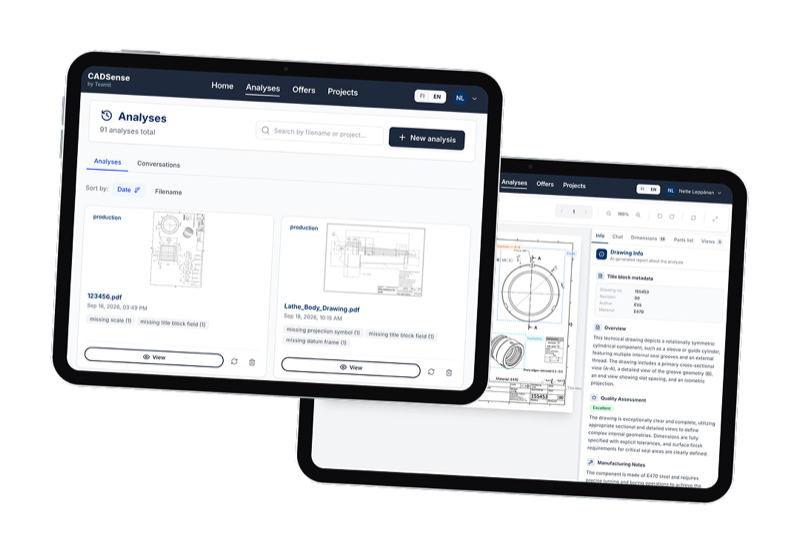
General-purpose AI can describe a drawing. CADSense is built to review CAD files by processing their data through a multi-step data processing pipeline, then combining those results with LLM reasoning and a curated set of manufacturing knowledge. It chooses AI language models best suited to each task, and its analysis process is tested against a broad set of data.
Each file goes through the same review process so the results you and your colleagues get are consistent and reliable. We continuously test and improve how well the analysing process works.
See which standard a finding relates to and where it appears on the drawing. The analysis is informed by curated manufacturing knowledge.
Manage projects, analyse full sets of files, check analysis history and create reports. All in one place, with an API for connecting to your other systems.
Work with the files you already have. No conversion required before upload.
Take a drawing you already know well and see what CADSense finds in it. The trial runs for 14 days, there is nothing to install, and a browser is all you need.
Need proof on a larger set? We run a four week pilot on your own drawings. The success criteria are agreed before it starts, so you decide on measured results.
One workflow and a set of your drawings with known errors.
What good looks like, and when we meet to decide.
Four weeks on your drawings: accuracy, review time, errors caught.
Go or no-go on the numbers, not on a demo.